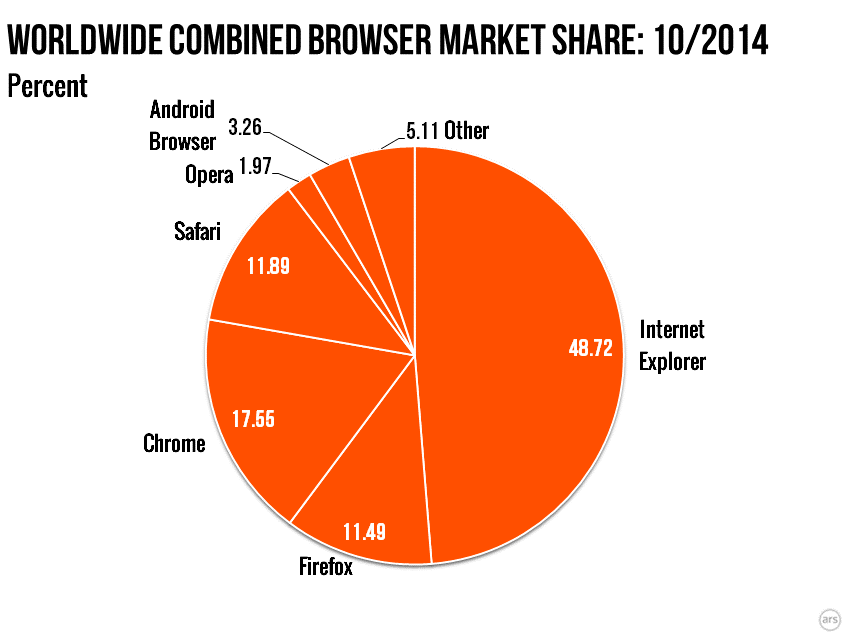
Normally around the first of the month, we publish a post looking at the usage share of operating systems and Web browsers. But our post this month has been delayed because of unresolved questions about the data source we normally use.
Want to share what’s on your iPhone or iPad’s screen with a friend of family member? Here’s how you can take a screenshot of what’s on your iOS device’s display in a few easy steps.
Go to the screen whose image you want to capture.
Once you’re ready, press the Home button right below your screen and the Sleep/Wake (Power) button at the top.